
Ransomware deserves its own lesson because it has become one of the most damaging and common attacks in the world.
What is it?
Ransomware is malware that locks or encrypts your files so you cannot open them, then demands a payment (a “ransom”) in return for unlocking them. Modern ransomware often also steals a copy of the data and threatens to publish it.
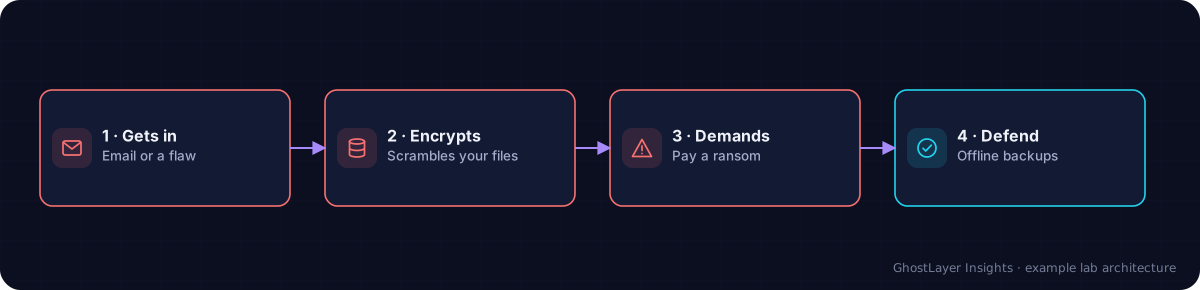
Select any component in the diagram to read what it does.
Text description of this diagram
Ransomware locks your files by encrypting them, then demands payment for the key.
Why is it important?
Ransomware can stop an entire organisation in minutes — hospitals, schools, and councils have all been forced offline. Even if a victim pays, there is no guarantee the files come back, and paying funds the criminals to attack again.
How does it work?
- It gets in — usually via a phishing email or a software weakness.
- It spreads quietly across as many devices as it can.
- It encrypts files, turning them into unreadable scrambled data.
- It shows a ransom note demanding payment, often in cryptocurrency.
The single best defence against ransomware is good backups kept separate from your main systems. If you can restore your files, you do not need to pay.
A real-world example
The 2021 Colonial Pipeline attack (from Module 2) was ransomware. It forced a major fuel pipeline offline and caused shortages across part of the US — all starting from one account without multi-factor authentication. It shows how a single weak point can lead to huge real-world disruption.
Check what you learned
What does ransomware do to your files?
It locks or encrypts them so you cannot open them, then demands a payment to unlock them.
What is the best defence against ransomware?
Good backups kept separate from your main systems, so you can restore your files without paying.
Key takeaways
- Ransomware encrypts your files and demands payment to release them.
- Paying is risky and funds more attacks.
- Separate, tested backups are the strongest defence.
▶ See it in action: Watch the Ransomware Attack simulation →