
We finish the course where most attacks begin: the inbox. Email is the number-one way attackers reach people, so safe email habits tie this whole course together.
What is it?
Safe email practices are the habits that protect you from the attacks that arrive by email — phishing, malicious attachments, and scams. They put everything from Module 4 into daily action.
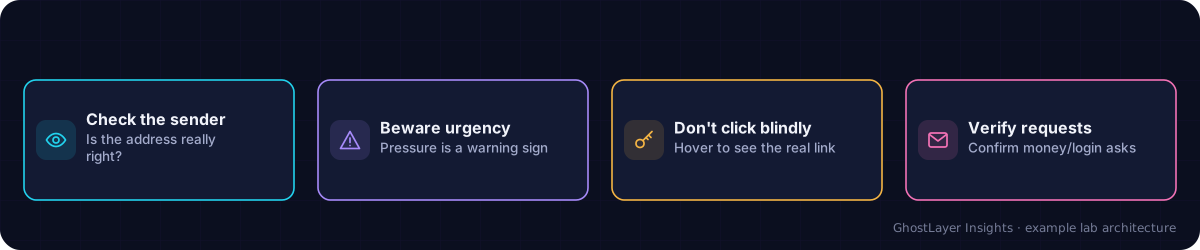
Select any component in the diagram to read what it does.
Text description of this diagram
Email is the most common way attacks arrive. A few checks stop most of them.
Why is it important?
Phishing, malware, and many scams land in your inbox first. The inbox is the front line — and your habits there often decide whether an attack succeeds or fails before any technology gets involved.
How does it work? — the habits
- Pause on urgency — attackers push you to act fast. Slow down and think.
- Check the sender — look at the real email address, not just the display name.
- Hover before clicking — preview where a link really goes.
- Do not open unexpected attachments — especially if you were not expecting a file.
- Verify money or data requests — confirm through a separate, trusted channel.
- Report suspicious email — tell your IT team or use the report button.
Never give passwords or payment details because an email asked you to. Legitimate organisations do not ask for those by email — when in doubt, contact them using details you already trust.
A real-world example
An accountant receives an urgent email, apparently from the boss, asking to pay a new supplier right away. Instead of acting on the pressure, they phone the boss on a known number to confirm — and discover it was a scam. One habit, verifying through a trusted channel, saved a large fraudulent payment.
Check what you learned
Why is the inbox considered the front line of security?
Because phishing, malware, and scams most often arrive by email first, so your email habits decide whether many attacks succeed.
What should you do with an unexpected request for money or sensitive data by email?
Verify it through a separate, trusted channel (such as phoning a known number) before acting.
Congratulations — you have finished the course!
You now understand what cybersecurity is, who attacks and why, the core concepts professionals use, the most common threats, and the practical steps that protect you. Keep practising these habits — and when you are ready, explore the Security Tools tutorials and the other courses in the Learning Hub to go deeper.
Key takeaways
- Email is the most common starting point for attacks.
- Pause on urgency, check senders and links, and avoid unexpected attachments.
- Verify money and data requests through a separate, trusted channel.