
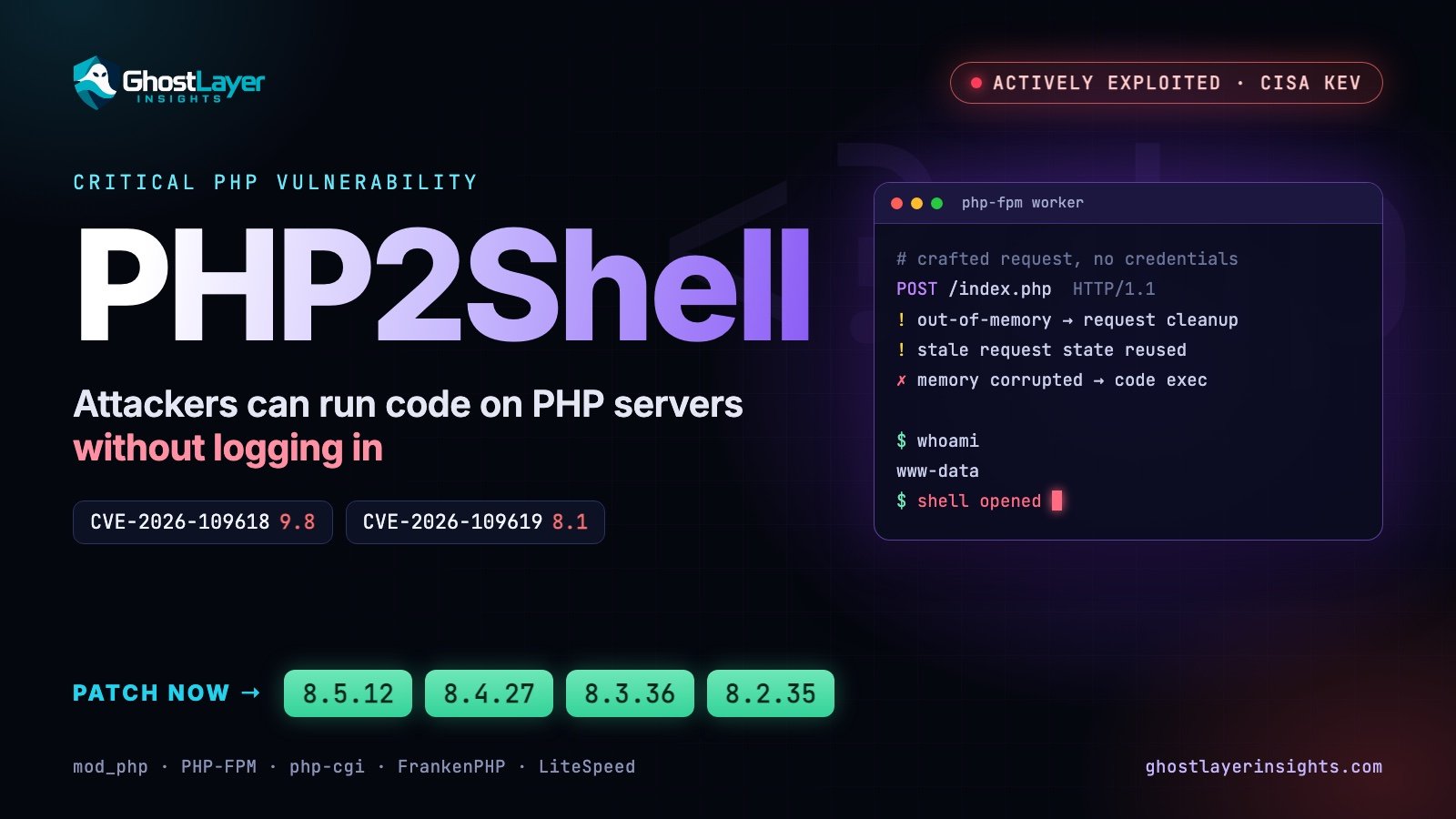
In short: “PHP2Shell” is the name given to two critical flaws in PHP itself, CVE-2026-109618 and CVE-2026-109619. They let an attacker run code on a web server without logging in, they are being exploited right now, and the only real fix is to upgrade PHP to 8.5.12, 8.4.27, 8.3.36 or 8.2.35 (or newer).
What is PHP2Shell?
PHP runs a huge share of the web: WordPress, Drupal, Magento, Laravel and countless custom sites, plus the admin panels of many appliances. PHP2Shell is not a bug in one of those applications — it is in the PHP engine underneath them. That is why the PHP project says every PHP installation that serves web requests is at risk.
PHP released fixes on 21 October 2026. CISA published an urgent alert the same day and added both CVEs to its Known Exploited Vulnerabilities (KEV) catalog on 26 October 2026, which means attacks have been seen in the wild.
The two vulnerabilities
- CVE-2026-109618 — memory corruption on out-of-memory. When PHP runs out of memory mid-request it jumps out of what it was doing. Some code paths leave request memory uninitialised when that happens, and the clean-up that follows can read or act on that memory. Attackers can trigger the condition on purpose and turn it into remote code execution. CVSS 3.1: 9.8 Critical.
- CVE-2026-109619 — stale state reused by the next request. Some internal PHP state points into a request’s memory. In certain cases it is not reset properly after the request ends, so a later request on the same PHP worker can use memory that has already been freed. This can also be turned into remote code execution. CVSS 3.1: 8.1 High.
Both are rated 9.2 under CVSS v4.0. Neither needs an account, a password or any action from a user — the attacker only needs to be able to send web requests to the server.
What attackers do with it
Remote code execution means the attacker’s commands run on your server with the permissions of the web server. From there, the usual playbook is:
- drop a web shell — a small backdoor file — so they can come back at will;
- download further tools, crypto-miners or ransomware;
- read configuration files to steal database passwords and API keys, then dump customer data;
- use the server to move deeper into the network or to attack others.
PHP is also bundled inside other products. Palo Alto Networks’ Unit 42 reports attacks against internet-exposed PAN-OS management interfaces, and NVD lists affected PAN-OS and Siemens RUGGEDCOM releases alongside PHP itself.
Who is affected
- PHP versions: everything before the fixed releases, across the 5.4 – 8.5 lines. PHP 8.1 and older are end-of-life and will not get full fixes.
- Every way of running PHP for the web: Apache with mod_php (rated highest risk by the PHP project), PHP-FPM, php-cgi, FrankenPHP and LiteSpeed.
- Software that ships its own PHP: appliances, control panels and vendor products. Check each vendor’s advisory.
Fixed versions
- PHP 8.5 → 8.5.12 or later
- PHP 8.4 → 8.4.27 or later
- PHP 8.3 → 8.3.36 or later
- PHP 8.2 → 8.2.35 or later
- PHP 8.1 and older → upgrade to a supported branch. PHP has published minimal source backports for 7.4, 8.0 and 8.1 but says they are not complete fixes. CISA advises taking unsupported systems offline until they are upgraded.
What to do now
- Find every PHP system — web servers, containers, VMs, and products that bundle PHP. Start with anything reachable from the internet.
- Check the version on each one (commands below). On shared hosting, look in your control panel (for Hostinger: hPanel → Advanced → PHP Configuration) or in WordPress under Tools → Site Health → Info → Server.
- Upgrade to a fixed release and restart PHP-FPM or the web server, so no old worker processes keep running.
- If you cannot patch today, CISA’s advice is to take the system offline until you can. A web application firewall can reduce the risk in the meantime but is not a fix.
- Check for signs of compromise, because exploitation started before many systems were patched.
# Which PHP is installed?
php -v
php-fpm -v        # name may include the version, e.g. php-fpm8.3 -v

# Debian / Ubuntu: upgrade, then restart PHP-FPM
sudo apt update && sudo apt install --only-upgrade 'php8.*'
sudo systemctl restart php8.3-fpm

# RHEL / Fedora / Rocky
sudo dnf upgrade 'php*'
sudo systemctl restart php-fpm
Package names differ between distributions and third-party repositories; confirm with php -v afterwards that the version shown is a fixed release.
How to check for compromise
The clearest warning sign is a PHP process starting a shell or downloading files. CISA has published a SIGMA detection rule for this. Simple checks on Linux:
# Shells or download tools started by PHP / the web server user
ps -ef --forest | grep -E -A3 'php-fpm|apache2|httpd' | grep -E 'sh -c|bash|curl|wget|nc '

# PHP files changed in your web root in the last 7 days
find /var/www -name '*.php' -mtime -7 -ls

# Unexpected outbound connections from web server processes
sudo ss -tpn | grep -E 'php|apache|httpd|nginx'- Look for unfamiliar PHP files, especially in upload folders, and for new administrator accounts in your applications.
- If you find signs of compromise, isolate the server, keep logs and evidence, rotate every password and key the server held, and rebuild from a clean image rather than just deleting the shell.
Temporary hardening (not a fix)
Some researchers suggest turning off session.upload_progress.enabled and setting strict memory limits while you schedule the upgrade. These may reduce exposure but do not close the vulnerabilities — for CVE-2026-109619 in particular, upgrading is the only fix. While you are in your PHP settings, also set expose_php = Off so your server stops advertising its exact PHP version.
Sources
- CISA alert: Critical Vulnerabilities in PHP Require Immediate Patching (21 Oct 2026)
- NIST NVD: CVE-2026-109618 and CVE-2026-109619
- PHP project — release announcements and security advisory
- Unit 42 threat brief: CVE-2026-109618, CVE-2026-109619
- watchTowr: CVE-2026-109618 FAQ
Track both records on GhostLayer: CVE-2026-109618 · CVE-2026-109619.
Leave a Reply